KRAFTful

A BODY-RECOMPOSITION TOOL

Stop starting over.

Every attempt that failed did it the same way: a burst of effort, no idea what actually worked, back to square one. KRAFTful puts your lifts, your food and your recovery in one record and shows you what is working and why — so you learn what to do, not just what to log.

Training · food · recovery in one record  ·  iPhone, Apple Health built in  ·  Two months free

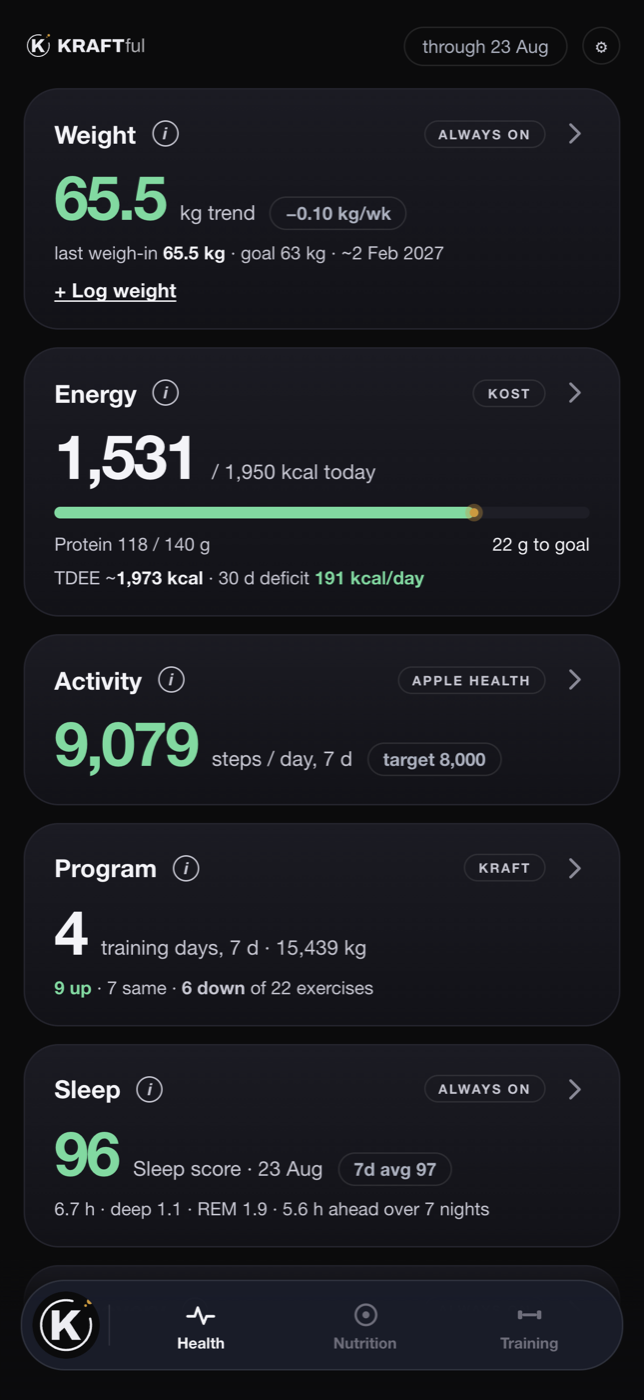
The Health screen: this week's energy bank, the calorie gauge, a chart of meals against burn, and the projection to the goal weight.

The app · drag through it

Health
Nutrition
Training
Workout summary
Monday recap
Progress
Programme
The receipt
Check-in
Your coach
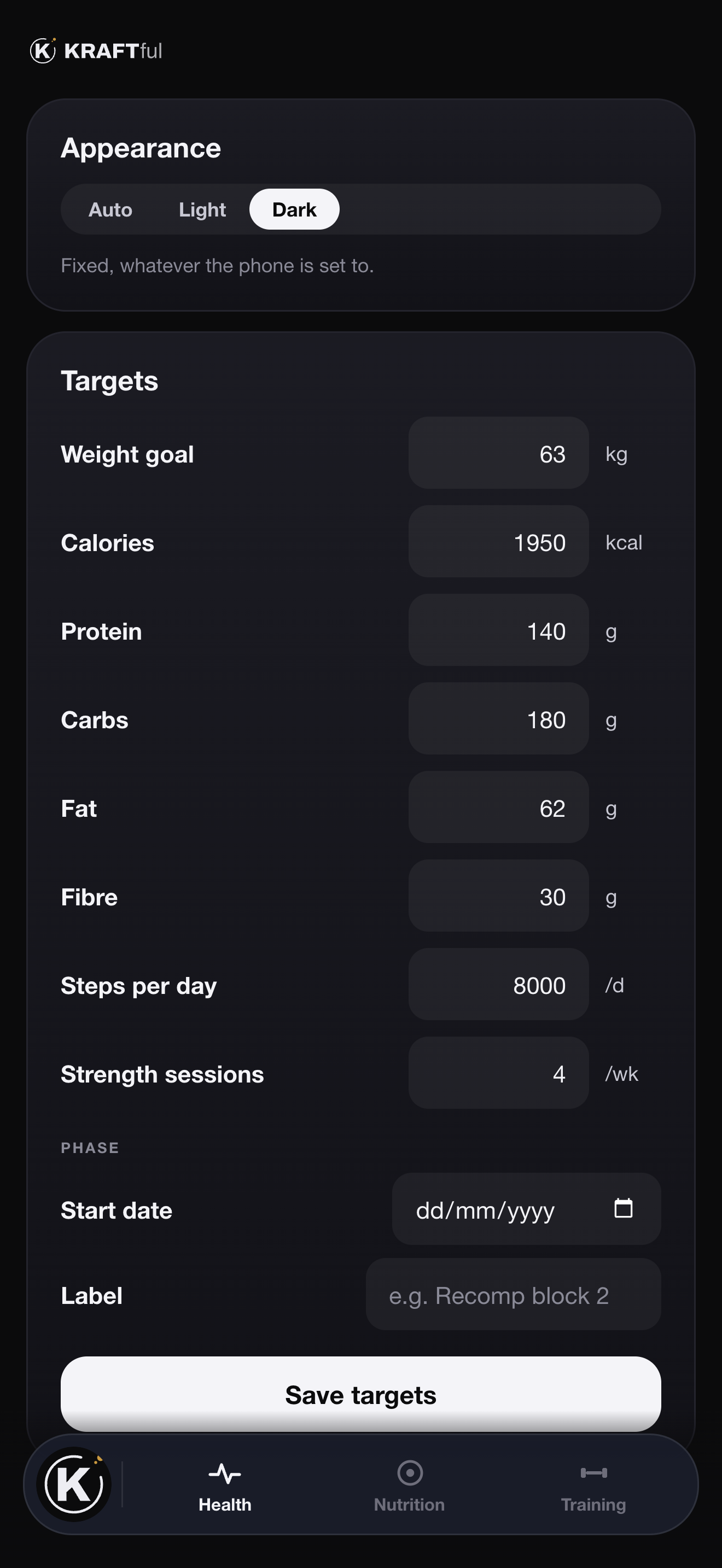
Targets
Compare

Energy

Your burn, measured. Not estimated.

Every other app takes your age, height and a guess at "activity level" and hands you a number. KRAFTful watches what you ate against what the scale did, and works the burn out backwards. Your body is the formula.

  • A weekly bank, not a daily verdict. Under on Tuesday, over on Saturday — the week is what counts, and the app shows you the balance as you go.
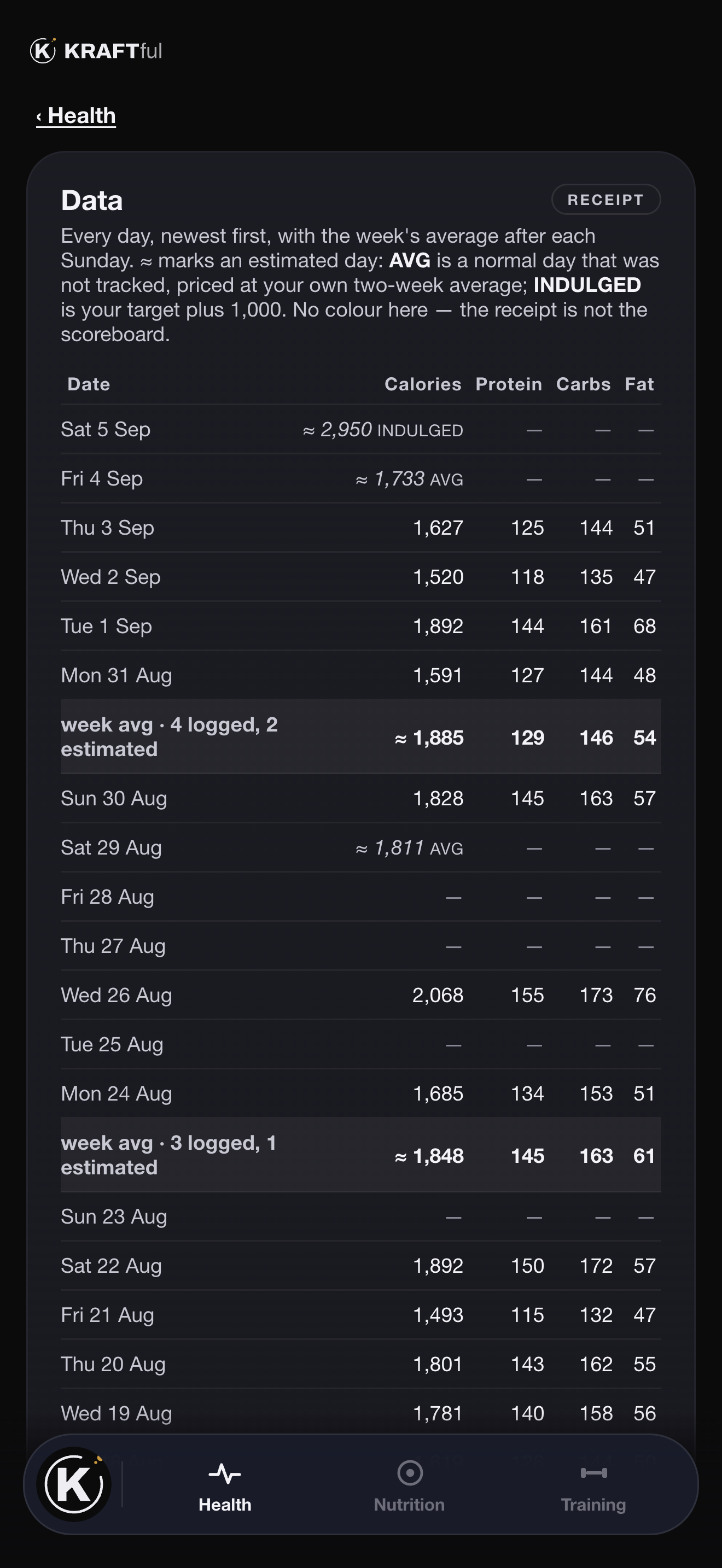
  • Honest about the days you didn't log. Mark a day "normal, not tracked" or "indulged" and it is priced in, instead of pretending it never happened.
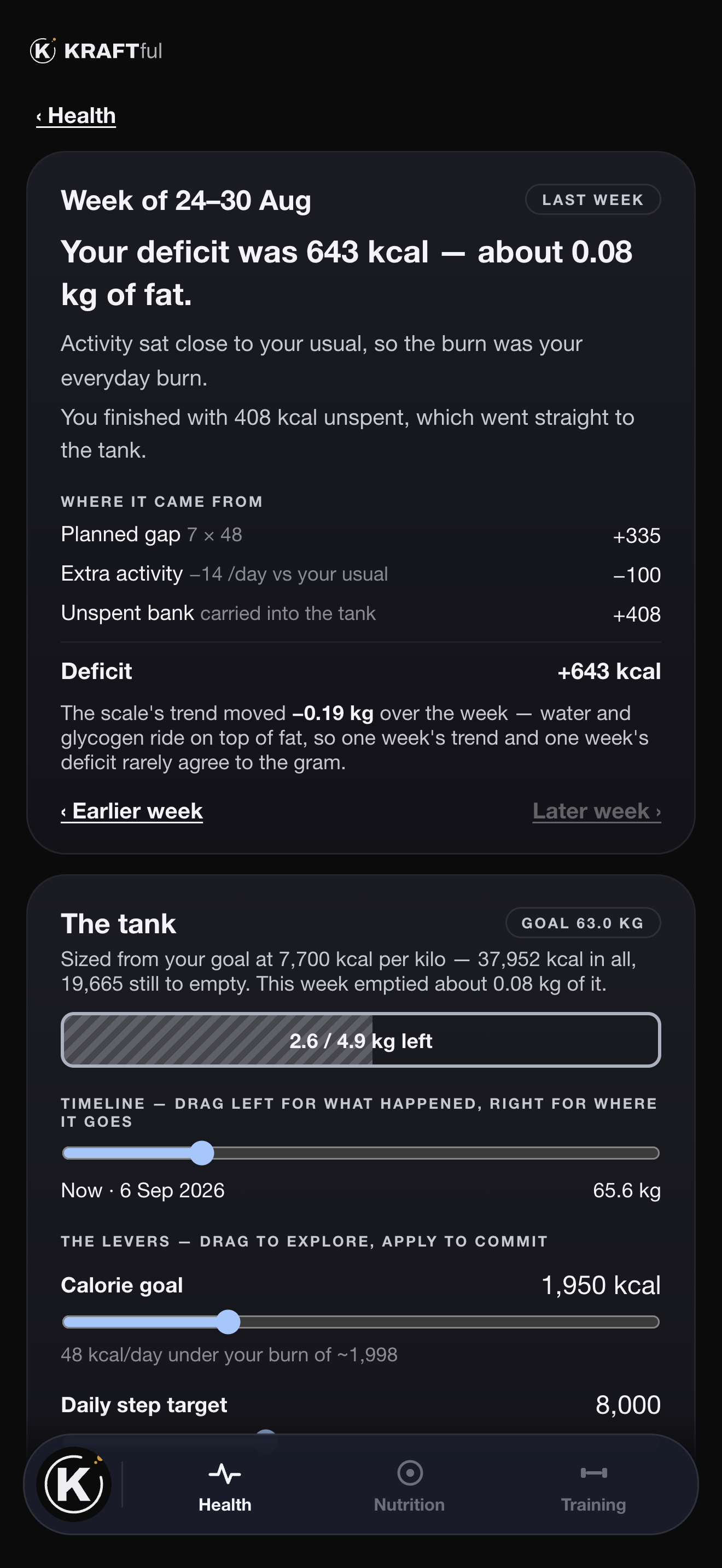
  • A Monday recap you can act on. Where last week's deficit came from, what it did to the trend, and what it emptied from the tank.
  • Every figure has a receipt. Tap through to the day-by-day table behind any number.
The Energy card: the week's bank, calories left today, and a bar chart of fuel against a burn line.
The Monday recap: last week's deficit broken down, the fat tank, and the levers.

How it fits together

Point the camera at dinner. That's the logging.

You didn't enter any of this. The scale did.Trend is a double exponential moving average — not the last number on the scale.

Measured from your own body. Not a formula with your age in it.The app only claims a burn when it has the complete days to back one.

350 a day under. One kilo every three weeks.Arithmetic, not willpower. Short-window weight change is mostly water and glycogen — which is why the trend is smoothed, and why the projection is a cloud rather than a promise.

Intake sets the direction. Training decides what you keep.

Nutrition

Log it the way the moment allows.

Logging food is the one input that actually moves the outcome, so it is the one that cannot be allowed to be tedious. Exact when you can, close enough when you can't — and the app always tells you which.

Exact

  • Scan the barcode. Point the camera at the pack.
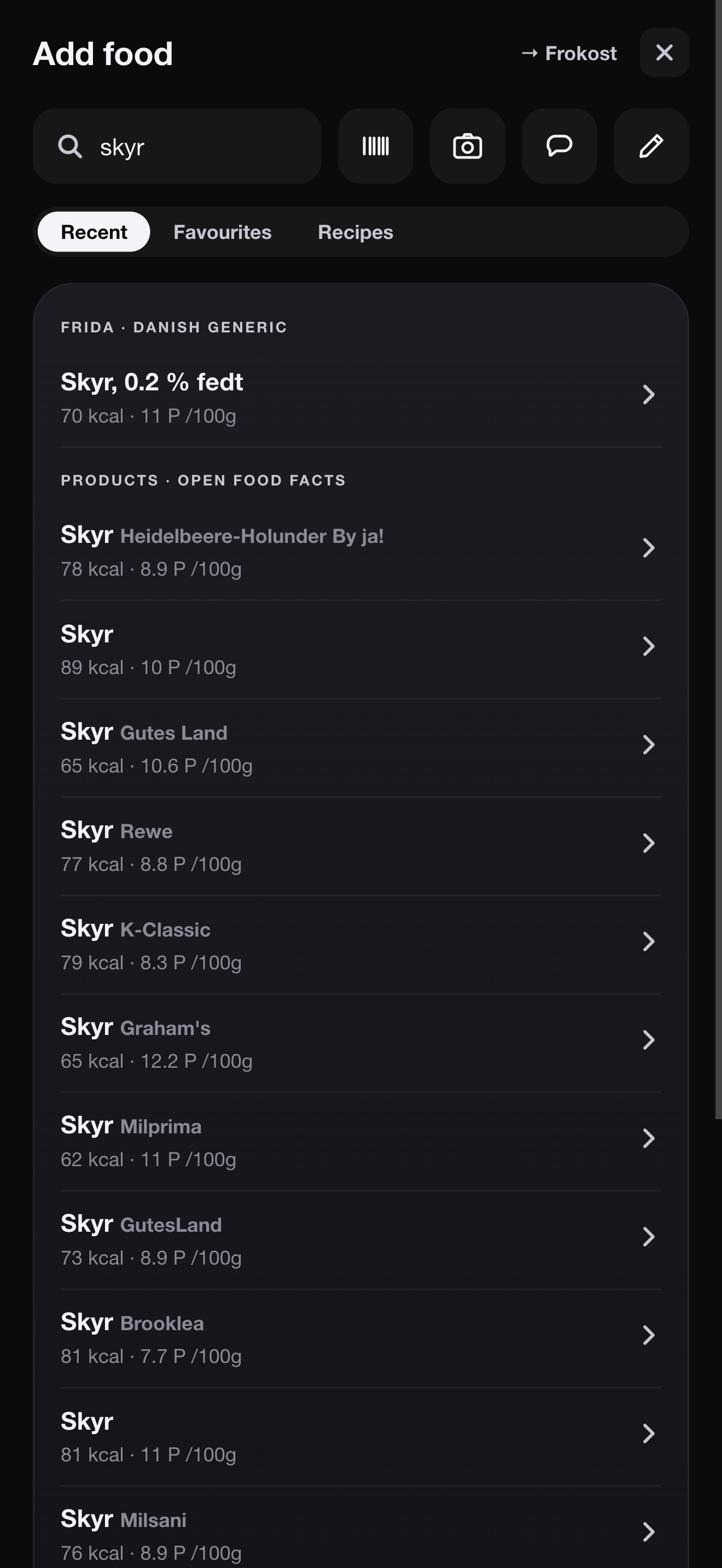
  • Search a trusted database. Frida — DTU's national food database — first, then Open Food Facts, then your own canteen's dishes.
  • Recipes by portion. "Makes 17 meatballs" — log two, never weigh.

Close enough

  • A photo. The app reads the plate and writes the entry.
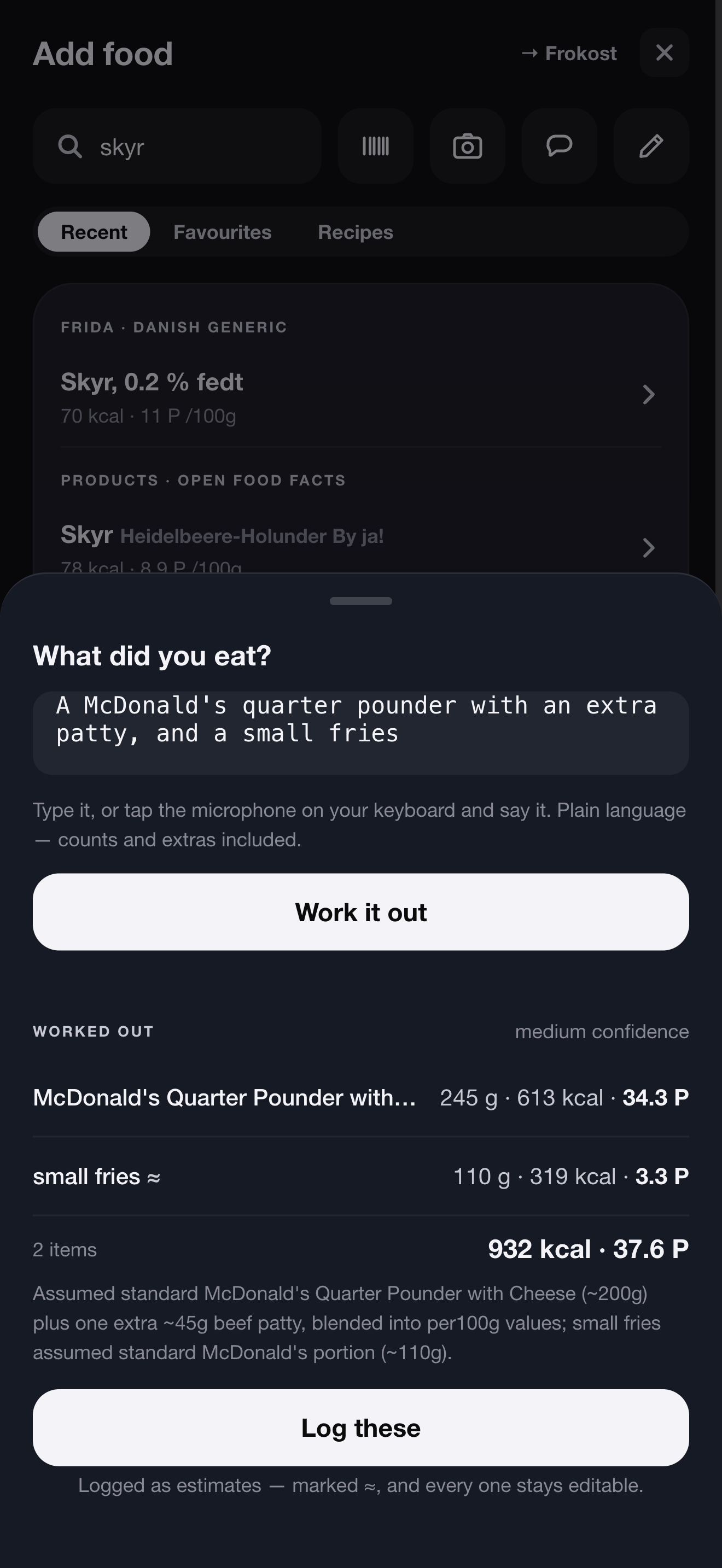
  • A sentence — typed, or just said. "A McDonald's quarter pounder with an extra patty" is enough. Dictate it from the keyboard and it is logged before you've found the wrapper.
  • Marked as an estimate, so you always know which numbers are measured and which are read.

1-to-10

Live

One gram of protein for every ten calories. Switch it on and the app reshapes itself around the rule — the gauge, the day and every food's colour. Nothing you log changes; switch it off and it all goes back.

Leangains

Coming

An eight-hour window, more on training days, less on rest days. The app already knows which kind of day today is.

Add food: search, barcode, camera, describe and manual entry, with Frida and Open Food Facts results for skyr.
Describe a meal: a McDonald's quarter pounder with an extra patty and small fries, worked out into two items with calories and protein.
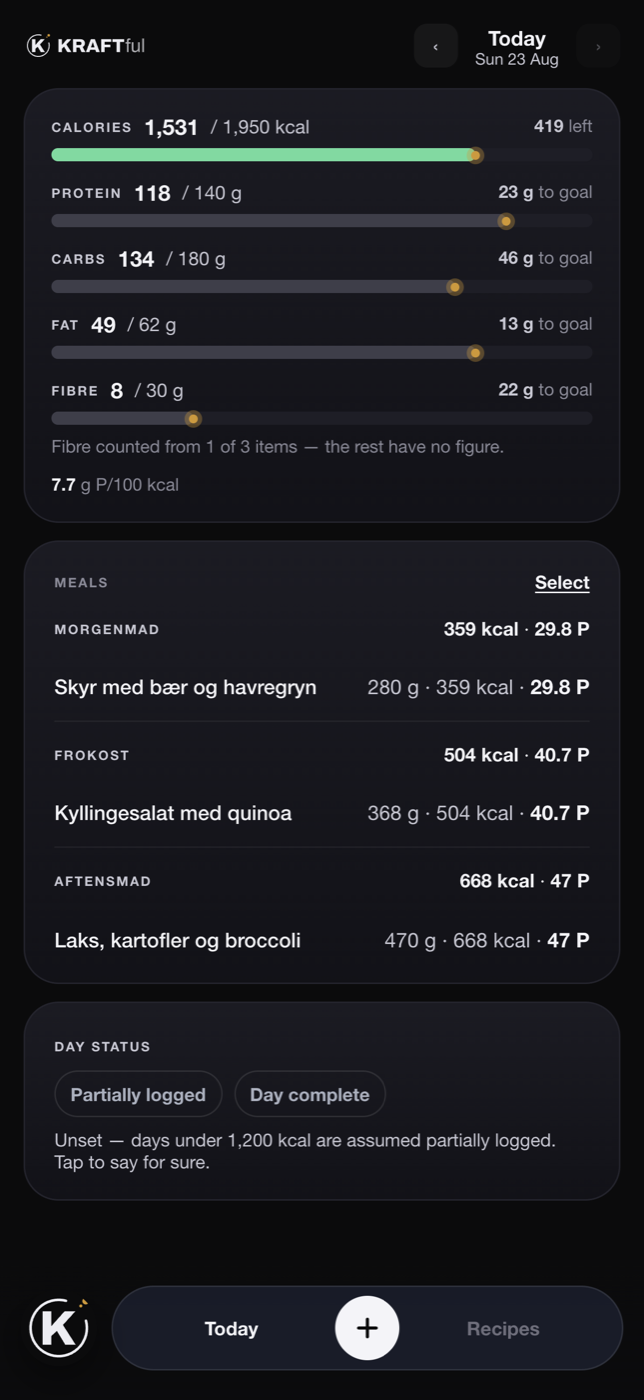
The Nutrition screen: calories, protein, carbs, fat and fibre against targets, the day's meals.

Training

The plan runs itself. You lift.

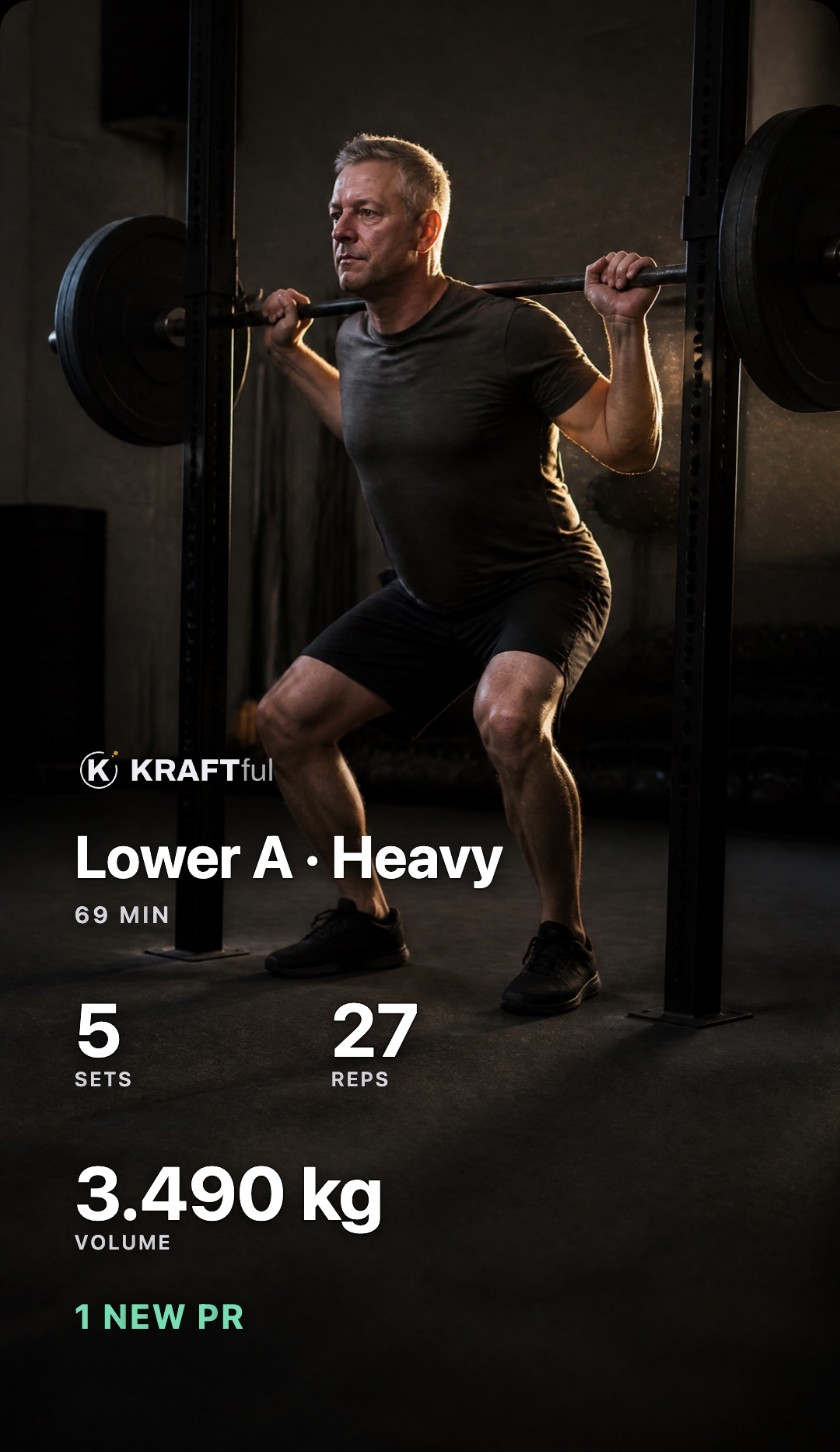
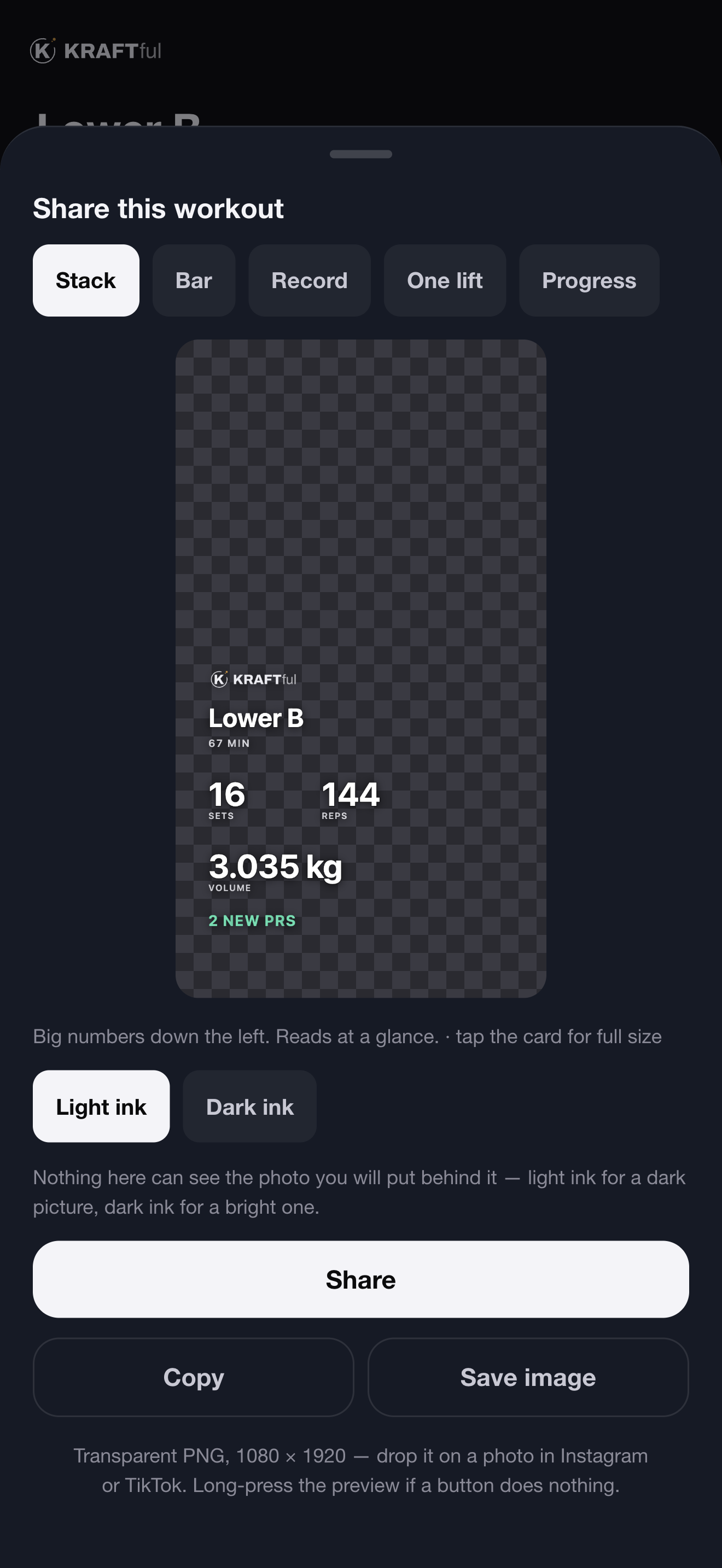
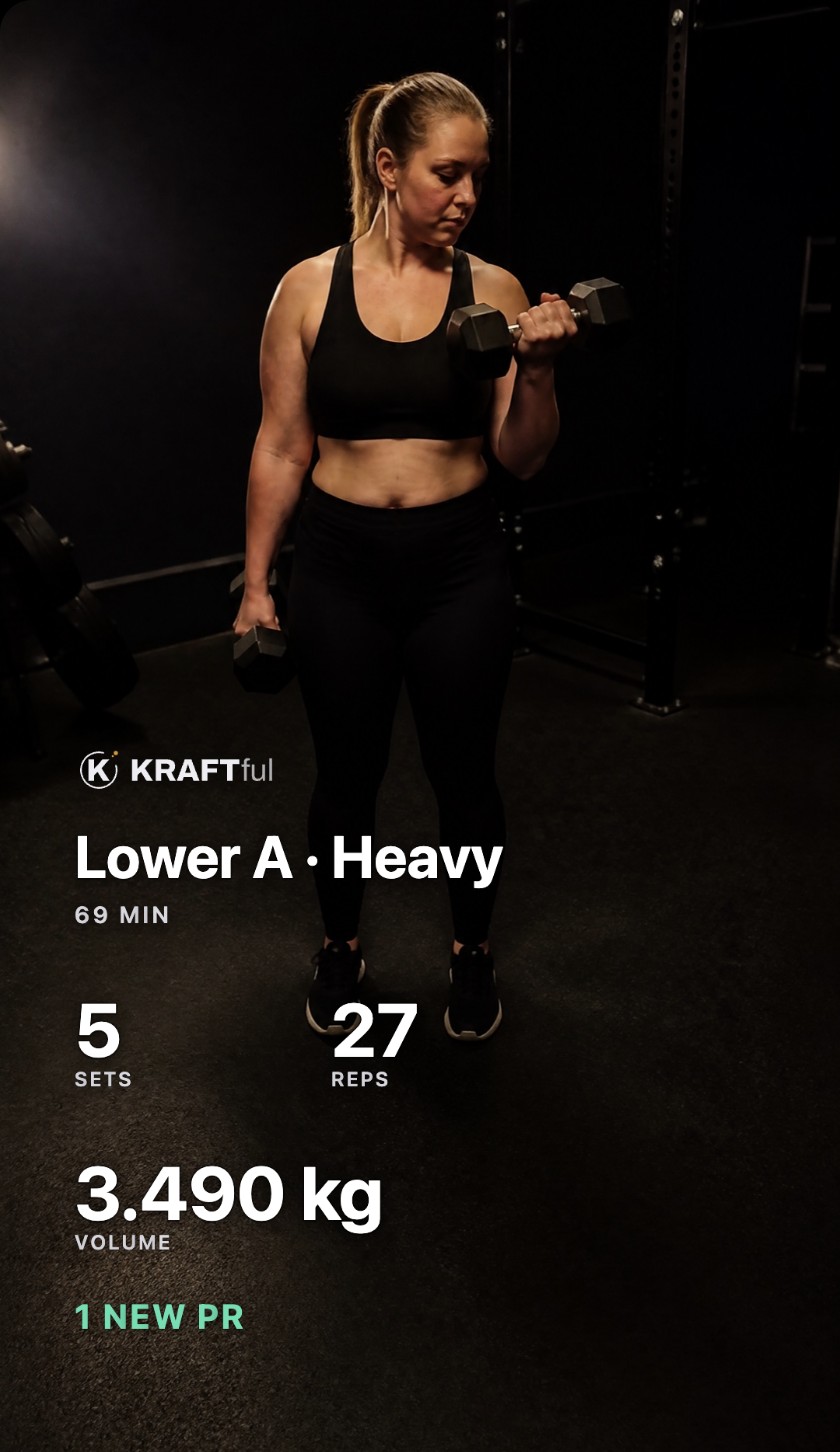
Every set is prefilled from what you did last time. Progression is a rule, not a feeling. Rest is a countdown on your lock screen. And when it's done, the session is a card you can drop on a photo.

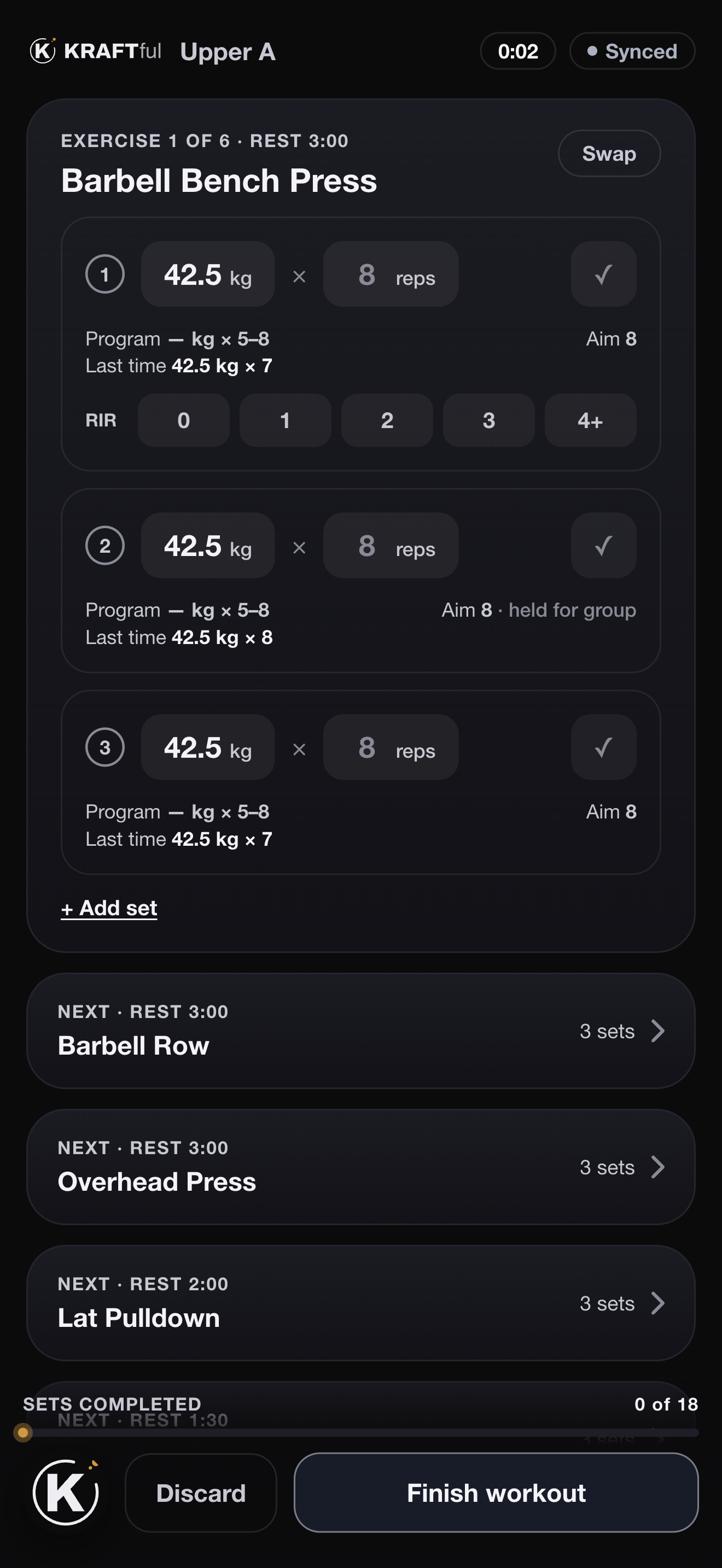
A live workout: Barbell Bench Press, three sets prefilled at 42.5 kg × 8 with last time's numbers, RIR buttons, and the next exercises queued with their rest.

One tap per set

Weight and reps are already in the box — the target for today, with last time underneath. Tap ✓, pick how many reps you had left, done. Swap an exercise when the rack is taken. Supersets alternate A1 · B1 with the rest that fits. No signal in the basement? It logs anyway and syncs later.
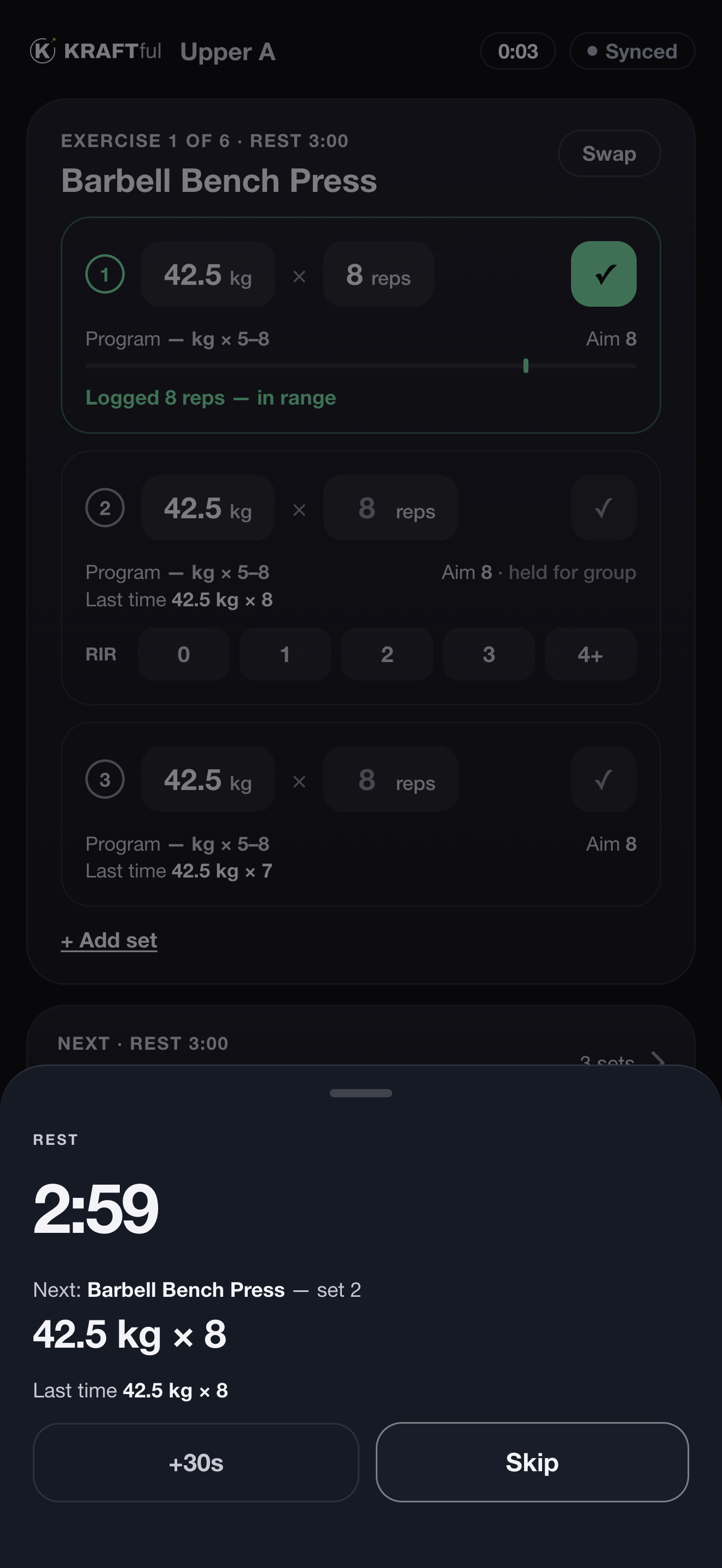
The rest sheet: 2:59 counting down, next set Barbell Bench Press set 2 at 42.5 kg × 8, last time 42.5 kg × 8, +30s and Skip.

Rest on the lock screen

Log the set and the countdown starts — in the app, in the Dynamic Island and on the lock screen, with the next set's target beside it, so the phone can go back in your pocket. +30 s when you need it, skip when you don't.

Progressive overload, as a rule you can read

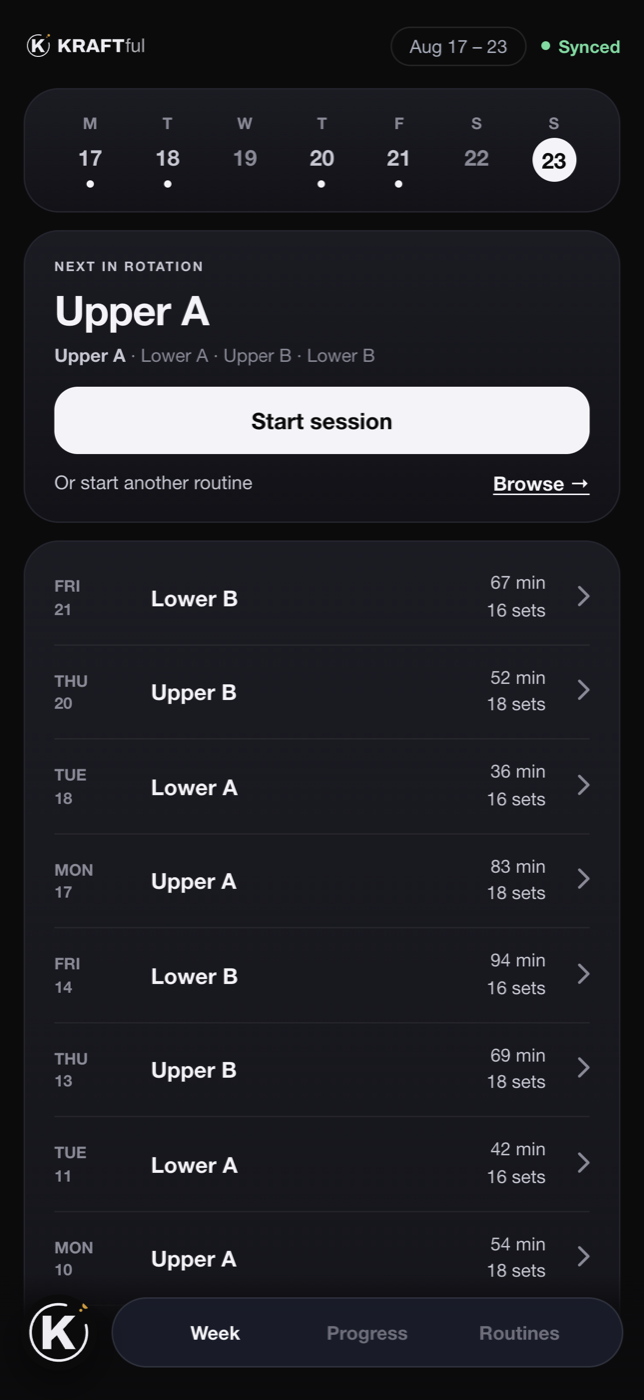
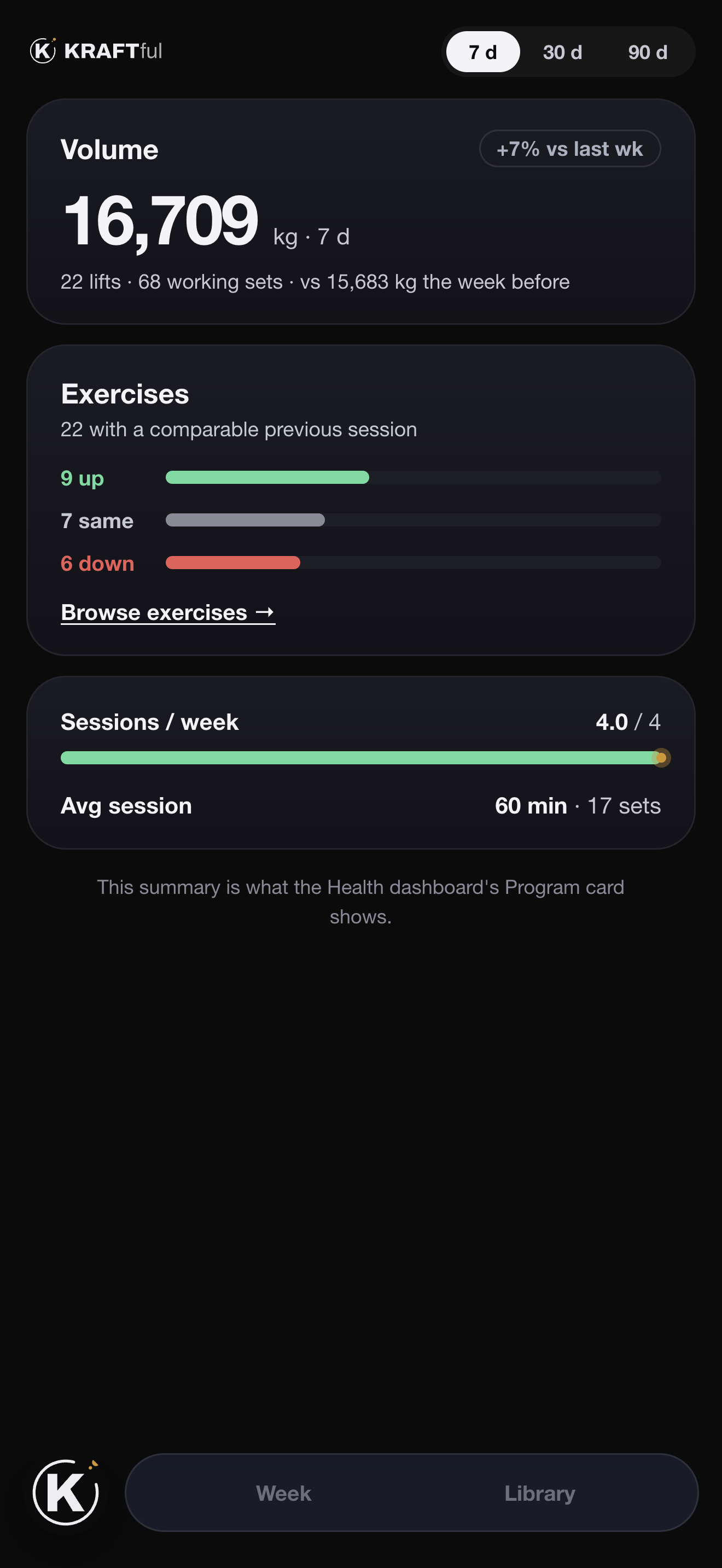
Hit the top of the rep range and next session the load goes up by that exercise's increment, reps reset to the bottom. Miss it and you keep the load and chase one more rep. Sets in a superset are held together, so one strong set can't drag the others up. Every slot shows which of the three happened — up, same or down — and the week counts them.

Progress: volume 16,709 kg this week, +7% vs last; 22 exercises with a comparable previous session — 9 up, 7 same, 6 down; sessions per week 4.0 of 4.

Your day on the home screen

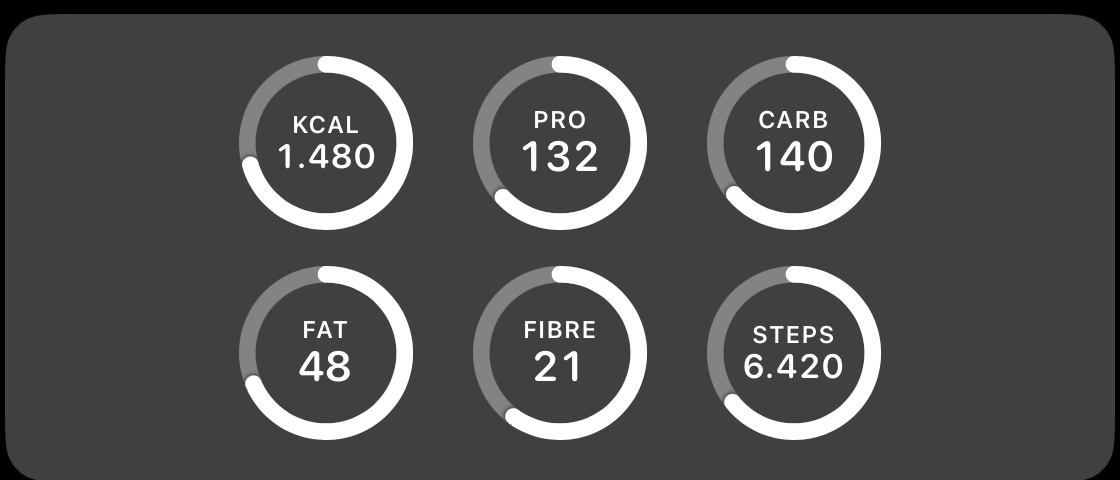
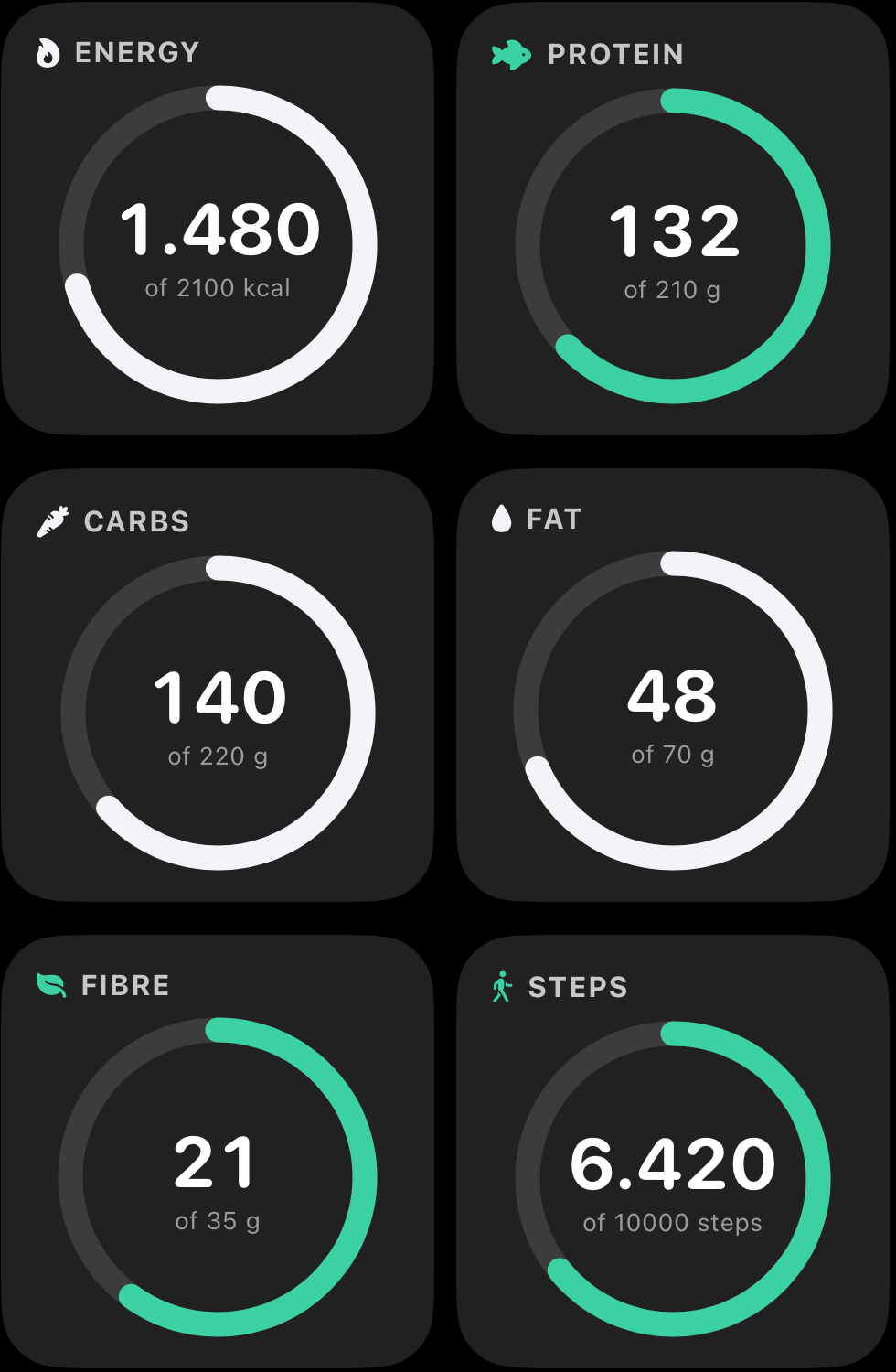
Six rings — energy, protein, carbs, fat, fibre, steps — as widgets on the home screen and on the lock screen, refreshed from the record. Green means the target is met, and nothing else is ever green.

Six home-screen widgets: energy 1,480 of 2,100 kcal, protein 132 of 210 g, carbs, fat, fibre 21 of 35 g, steps 6,420 of 10,000. The same six as lock-screen rings.

Check-ins

Photos that compare like for like.

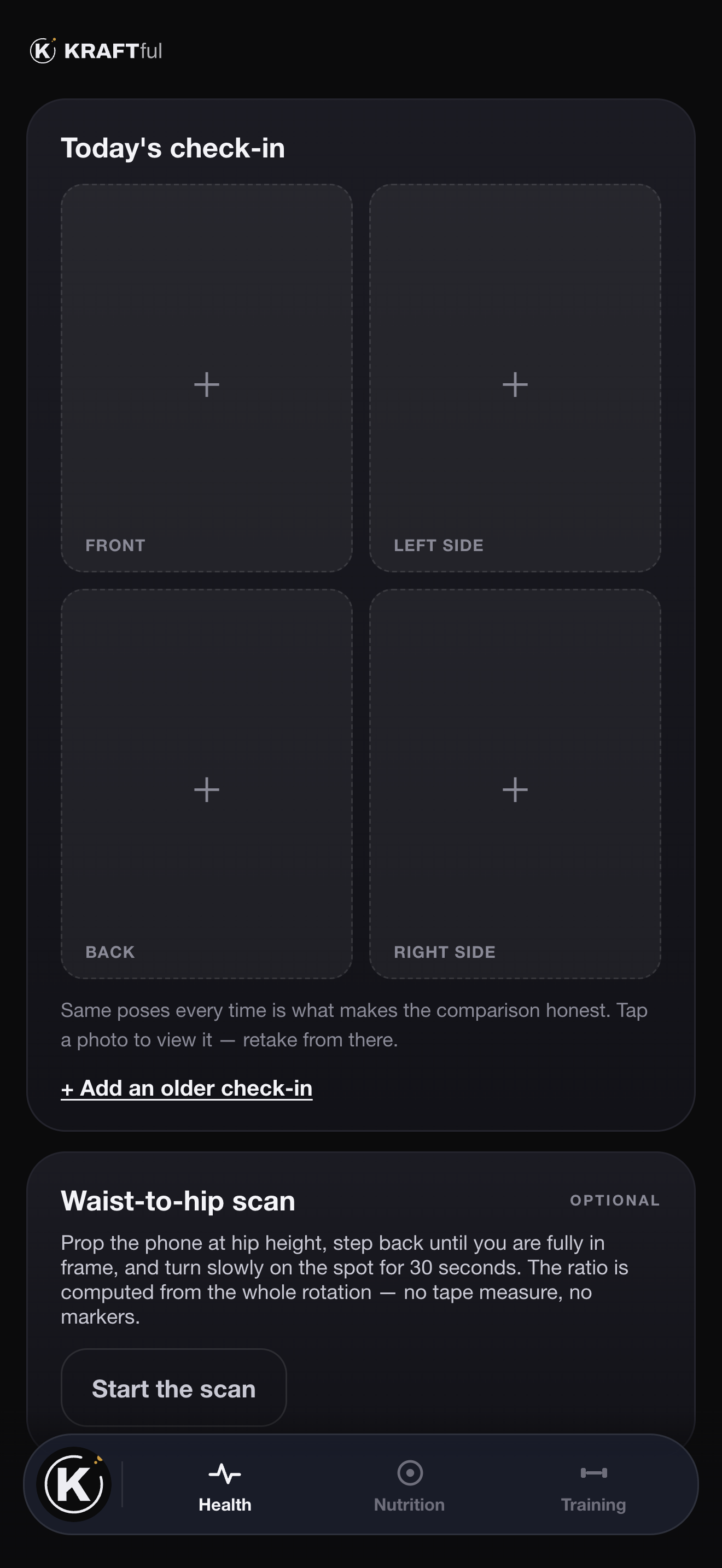
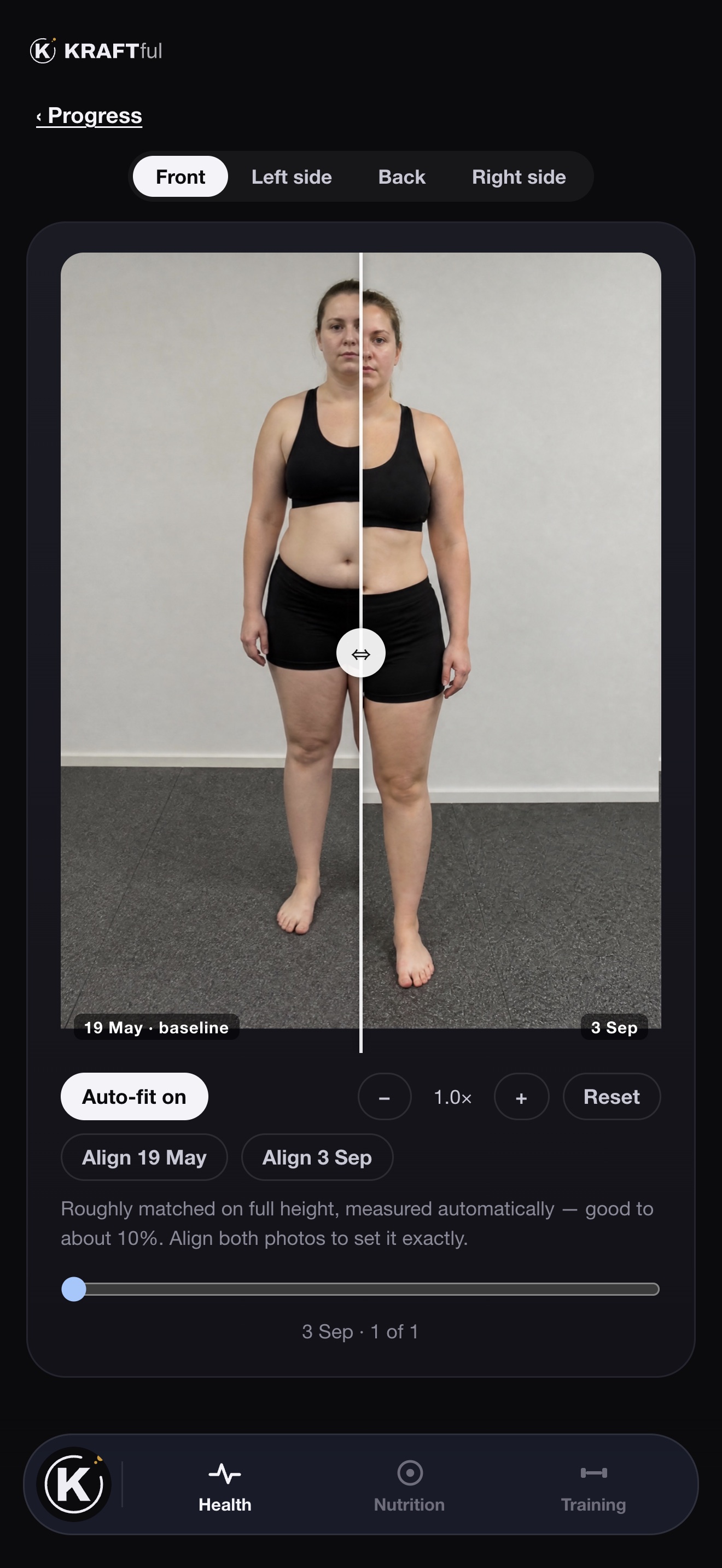
Same four poses, every time. Then the app lines two check-ins up on the same body length — so a photo taken a step closer to the mirror doesn't read as a body that grew — and you wipe between them.

  • A 30-second spin instead of a tape measure. Waist-to-hip ratio from a slow turn on the spot, computed from the whole rotation.
  • Private until you say otherwise. Share a check-in and your coach gets it in the conversation. Don't, and it does not exist for them.
Today's check-in: four pose slots and the optional waist-to-hip scan.
Compare: the baseline and the latest check-in, auto-fitted to the same body length, with a wipe between them.

Your coach

Talk to your coach the way you'd talk to anyone.

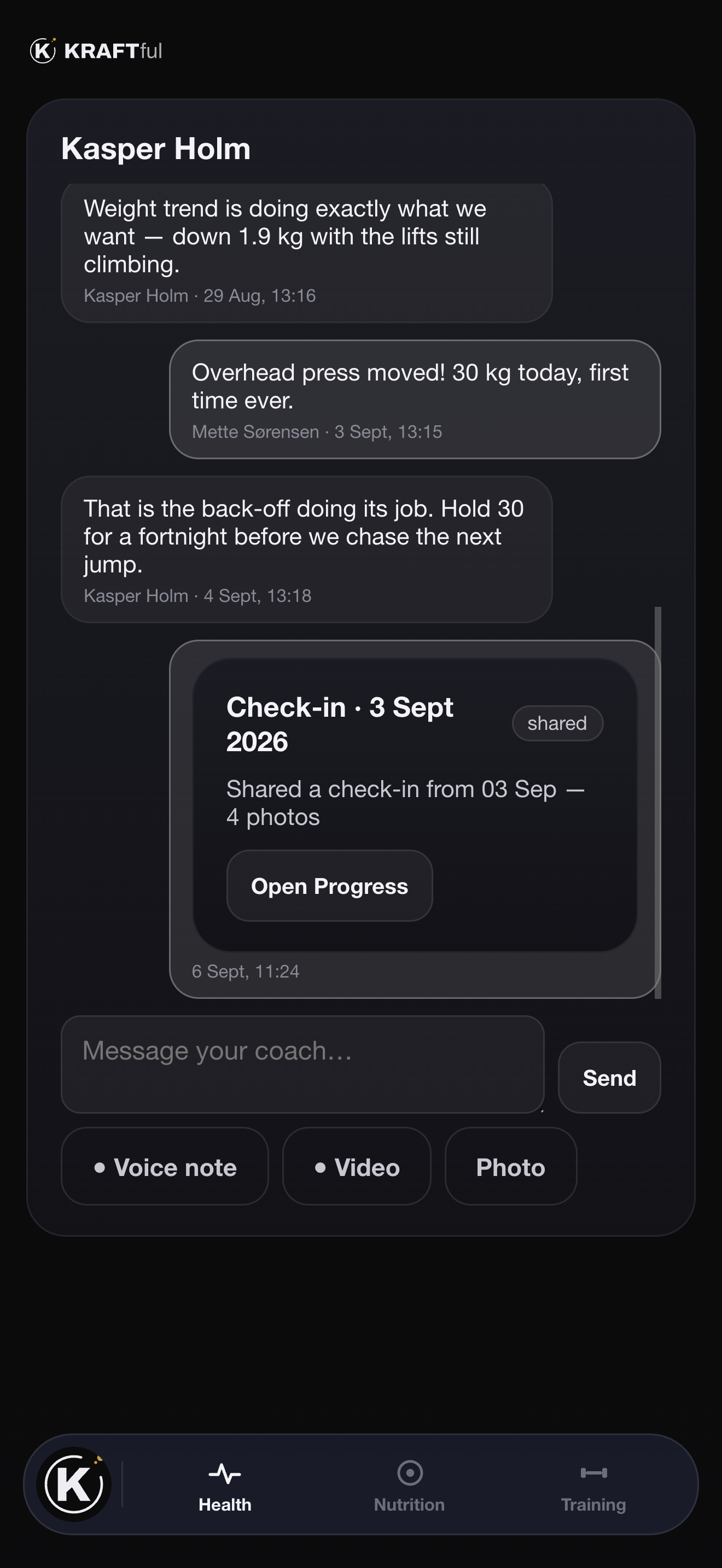
One conversation, in the app. Type it, say it as a voice note, film the set you're unsure about, or send the plate. Your coach answers in the same thread — and sees the same screens you do, so nobody has to describe a number.

  • Voice, video, photo or text — whichever is quickest with chalk on your hands.
  • Check-ins arrive as cards. Share a set of photos and it appears in the thread; they tap it open.
  • Programmes arrive as proposals. Accept one and it is copied into your library, yours to edit.
  • Unlink whenever you like. The thread stays with you; their view ends.
The coach thread: messages from Kasper Holm, a shared check-in card, the composer with Voice note, Video and Photo.
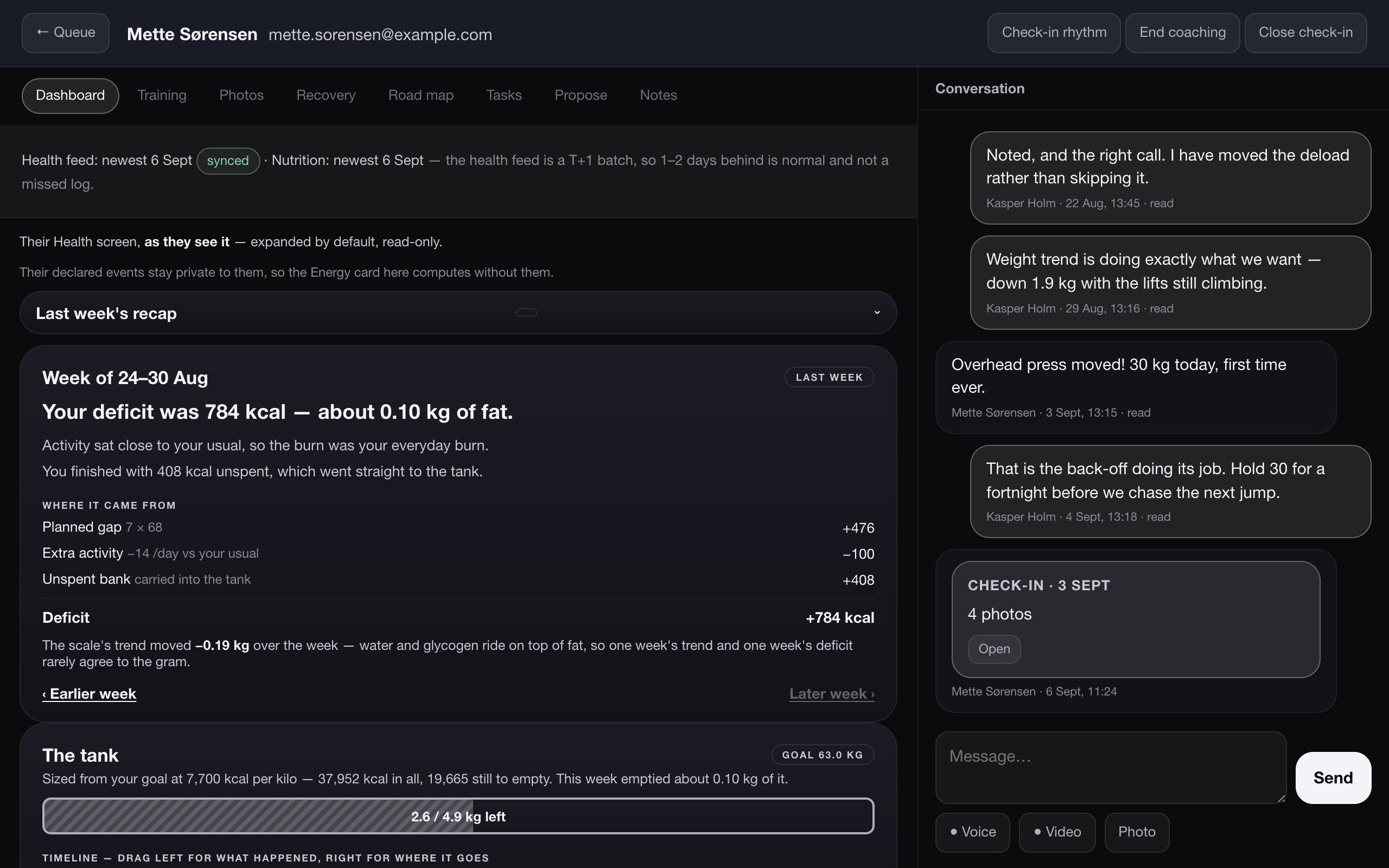
The same conversation on the coach's side, beside the client's Health screen.

The point

A number with no source is an opinion.

Every card names where its figure came from and how old it is. Data from your watch or ring is a day behind by design — the app says so instead of pretending it's live.

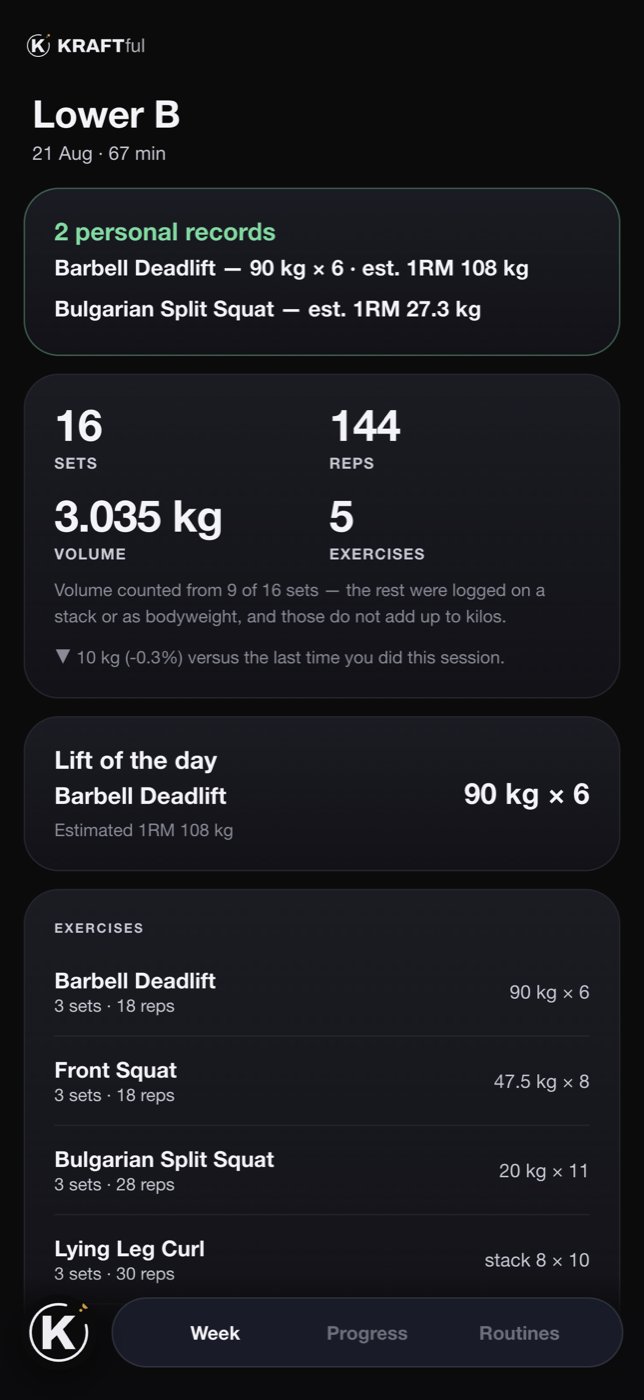
When a total can't be completed, it isn't presented as one. This workout counted volume from 9 of 16 sets, because a pin position on a cable stack is not a mass. Other apps quietly add them anyway.

A finished workout summary, naming how many sets its volume figure could be counted from.
KRAFTcoach

Coach from the client's own screen. Not from a spreadsheet.

KRAFTcoach is the other half of the app: a queue of who needs you today, a programme builder that saves as you go, and every client's Health screen exactly as they see it — read-only, expanded, with last week's recap on top.

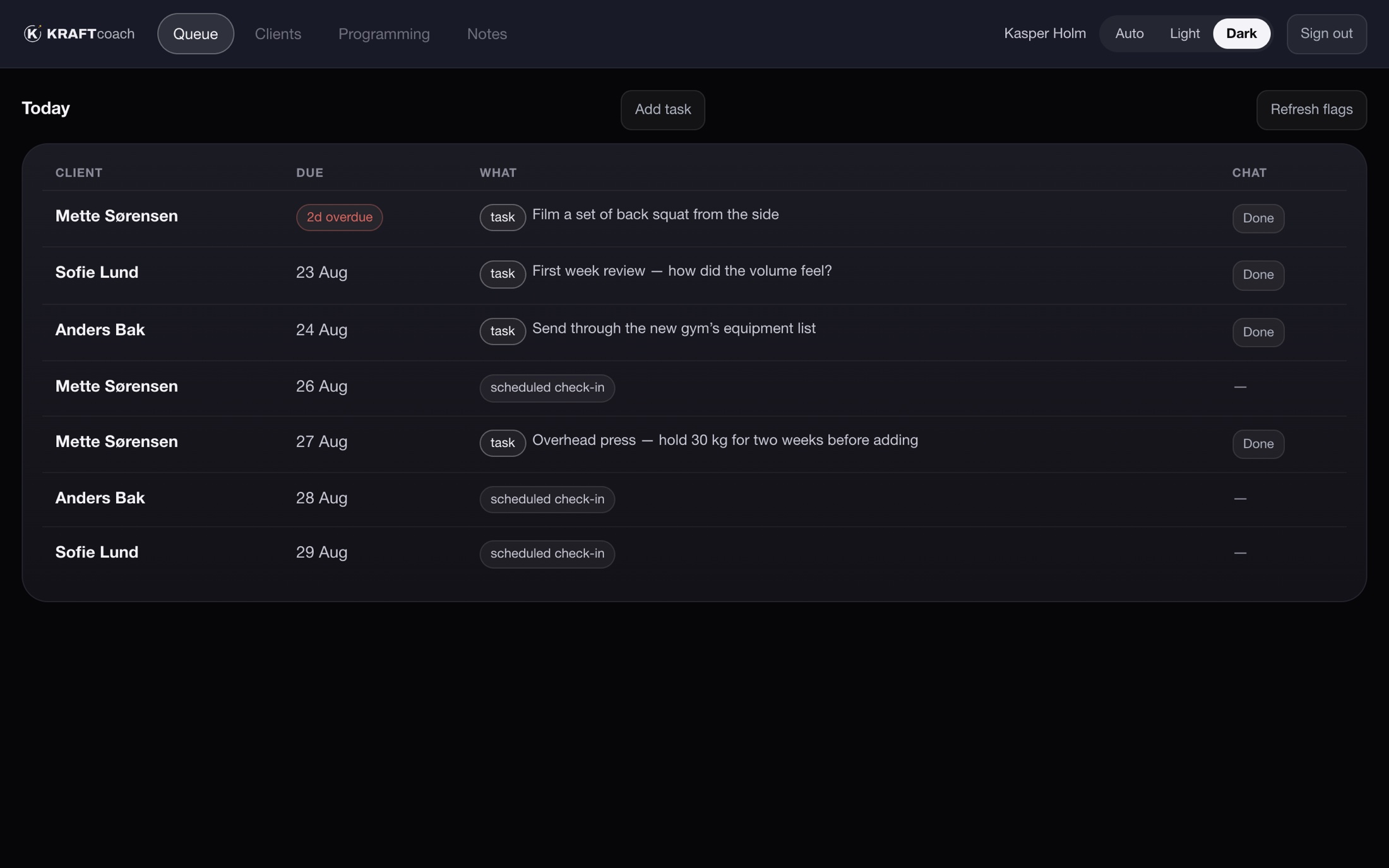
The coach queue: tasks and scheduled check-ins by client, one overdue, one unread reply.
The queue — who needs you today, and why
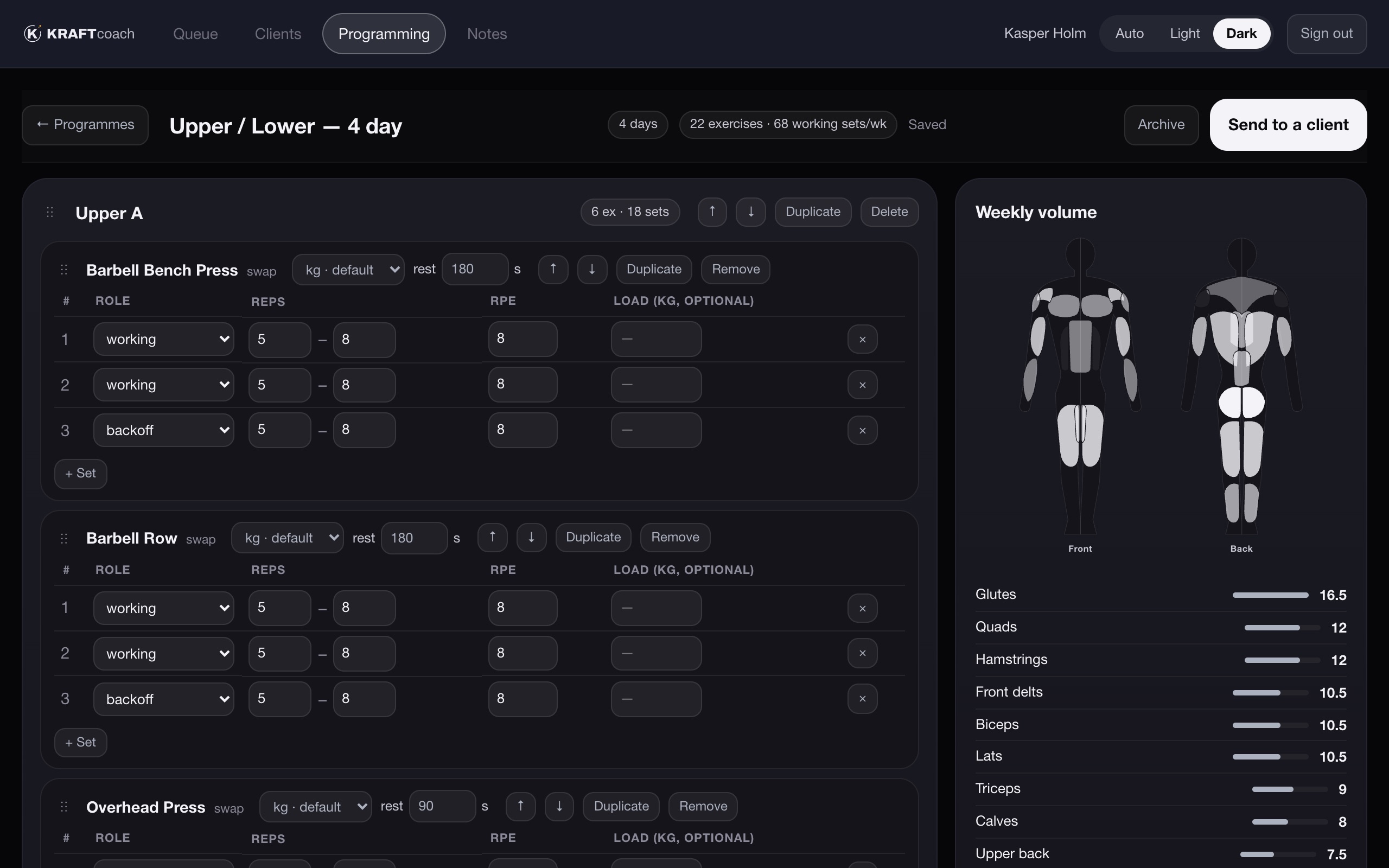
The programme builder: days and exercises on the left, weekly volume by muscle on the right.
The builder — autosaves, and shows weekly volume by muscle as you go
A client's own Health screen inside the coach view, with last week's recap on top and the conversation beside it.
Their Health screen, as they see it — the conversation alongside
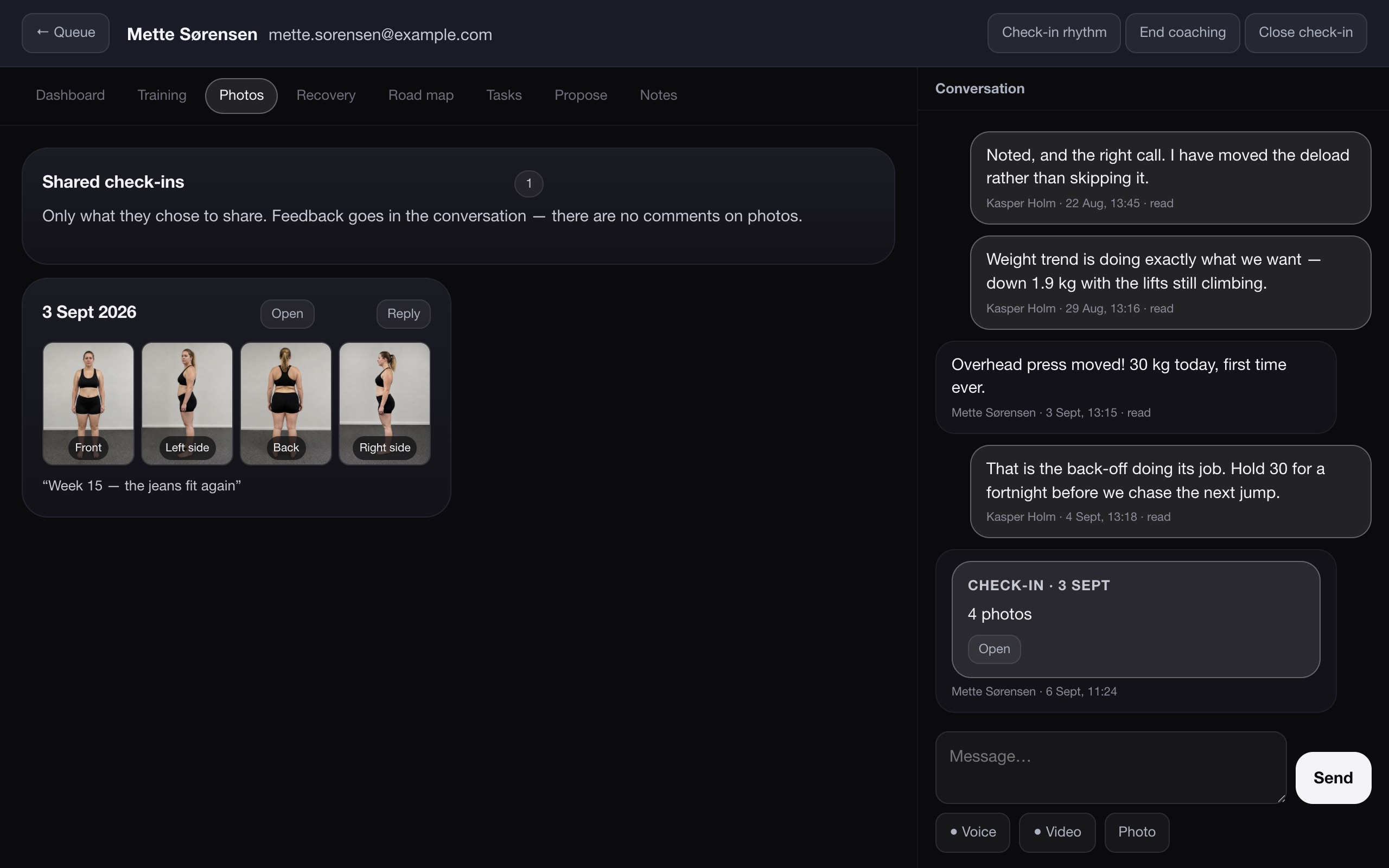
The Photos tab: a shared check-in with four poses, and the check-in card in the conversation.
Shared check-ins — only what the client chose to share
One link to onboard. Email it, copy it, or hold up a QR code. It works for a brand-new client and for someone who already has the app.
No typing where a choice will do. Pick sessions per week and a split, and the days name themselves. Load units follow the client's gym.
Programmes are copied, never linked. Editing your template never changes what a client is midway through.
Free for coaches. Clients pay for the app; you don't pay to coach them.

Yours to keep

A tool chest, not a subscription you're trapped in.

Your history belongs to you, not to whoever happens to be coaching you. Link a coach and they see what you see. Unlink and they see nothing. Stop for six months and come back — it's all still there.

Where it runs

iPhone, today

Native app with Apple Health built in. Weight, sleep, HRV, resting heart rate and steps arrive on their own.

Android, coming

The same app, reading from Health Connect. Same subscription, same two months free.


Pricing

Two months free. Then €10 a month. That's it.

One price, one person, everything included. There is no tier that withholds your own data from you.

Billed through the App Store, so the free period and the subscription are handled by Apple and you cancel from your own account settings. Android will use the same scheme through Google Play.

KRAFTful

2 months free

then €10 per month, per person

  • Training, nutrition and recovery in one record
  • A measured burn, a weekly bank, the Monday recap
  • Food logging from a photo or a sentence
  • Apple Health integration on iPhone
  • Works offline; syncs when it can
  • Link a coach at no extra cost

Cancel any time during the free period and you are not charged.


Questions

The things people ask first.

How can it measure my calorie burn?

Arithmetic. What you ate over a stretch of days, set against what your weight trend did over the same days, leaves one unknown: what you burned. The app solves for it, and it only claims a figure once it has enough complete days to stand behind one. A formula is used only to split that total into resting and activity — never to produce it.

Do I need a coach to use it?

No. Everything on this page works on your own, including the eleven starter programmes. A coach is something you can add later, and remove later.

What does my coach see?

Your Health, Training and Nutrition screens, read-only, exactly as you see them. Check-in photos only when you share a specific check-in. Nothing else, and nothing after you unlink.

What does it read from Apple Health?

Weight, sleep, heart-rate variability, resting heart rate and steps — whatever your watch, ring or scale already writes there. Nothing is written back without you asking.

Is my data mine?

Yes. It is stored per person, on servers in Denmark, and nobody — including a coach — can read it without a grant you gave. Stop paying and the record is still yours to come back to.

Android?

Coming, with the same health integration through Health Connect. iPhone first.


Early access

Be on it before the App Store is.

KRAFTful ships through TestFlight while the listing is in review. Ask for an invite and you'll have the app on your phone the same day — two months free from your first sign-in.

Built in Randers, Denmark. Used every day by the people who made it.

Already using it

Client sign-in

The same account as the app, in a browser.

Coaching someone

Coach sign-in

KRAFTcoach runs in the browser. There is no coach app to install.